Your office WhatsApp, run like a front desk.
One number, up to 10 staff, on every computer and phone. Every chat has an owner and every reply has a name.
Drag to see the difference
On the left, the office phone on a normal morning. On the right, the same morning in Ofoz.
Built around how an office actually answers clients
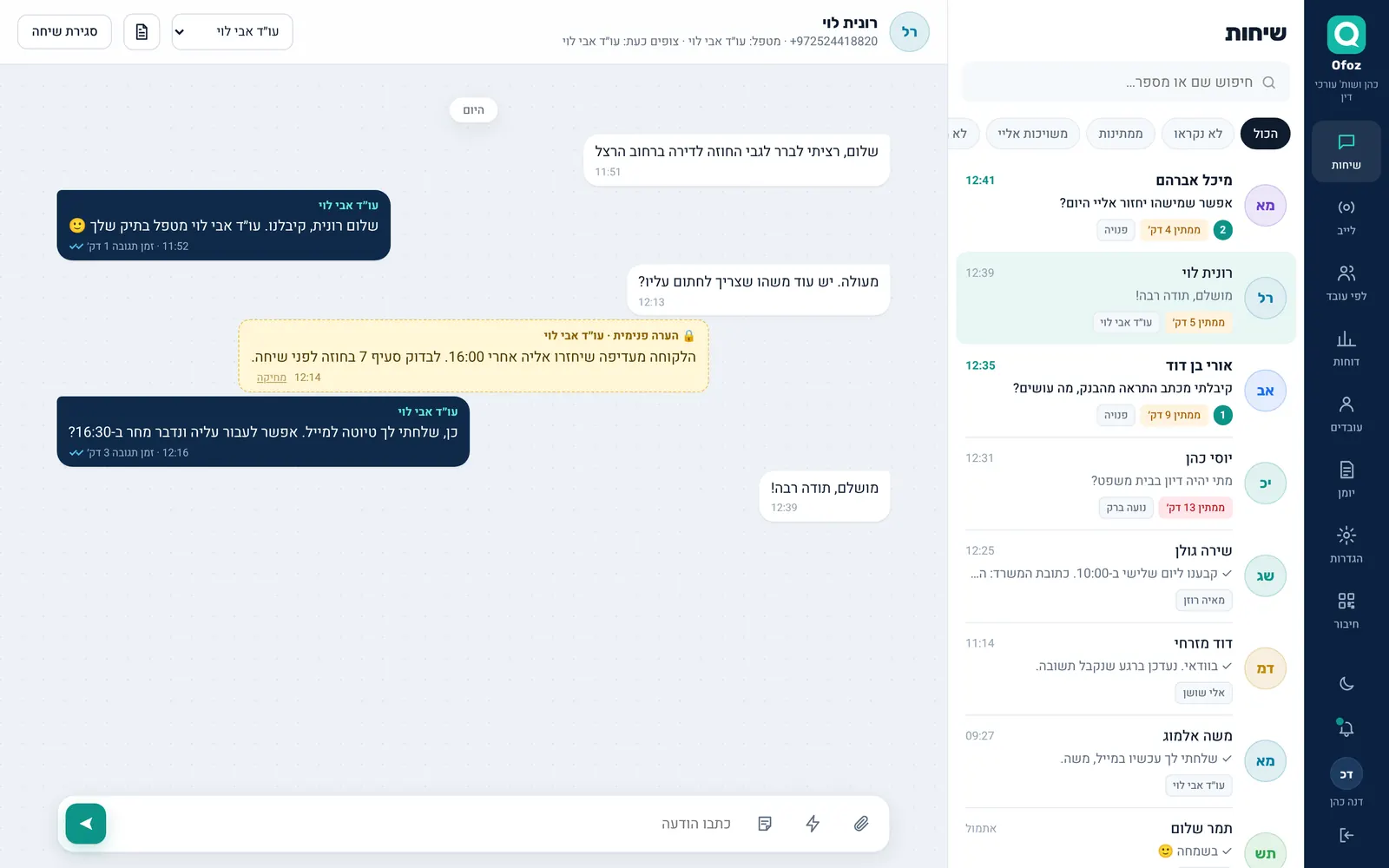
These are real screens from Ofoz, running at a law office.

On the desk, at reception, in your pocket
A real Windows app for the office computers, and a phone or tablet view for everyone else on the office Wi-Fi.
- Opens in its own window with a tray icon, and keeps notifying you when it's closed.
- Add it to a phone's home screen and it opens like an app.
- Light and dark mode, in English or Hebrew.
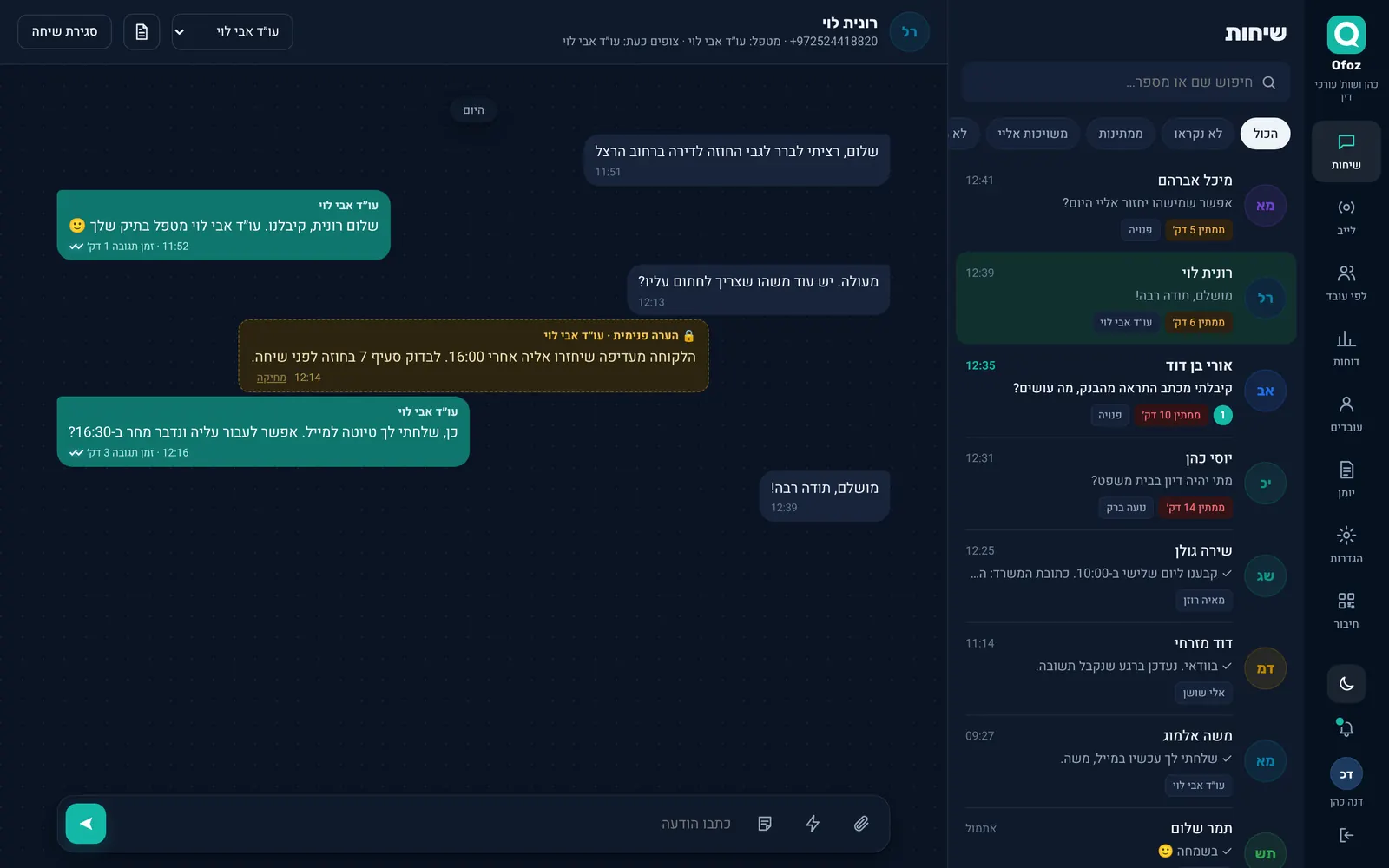
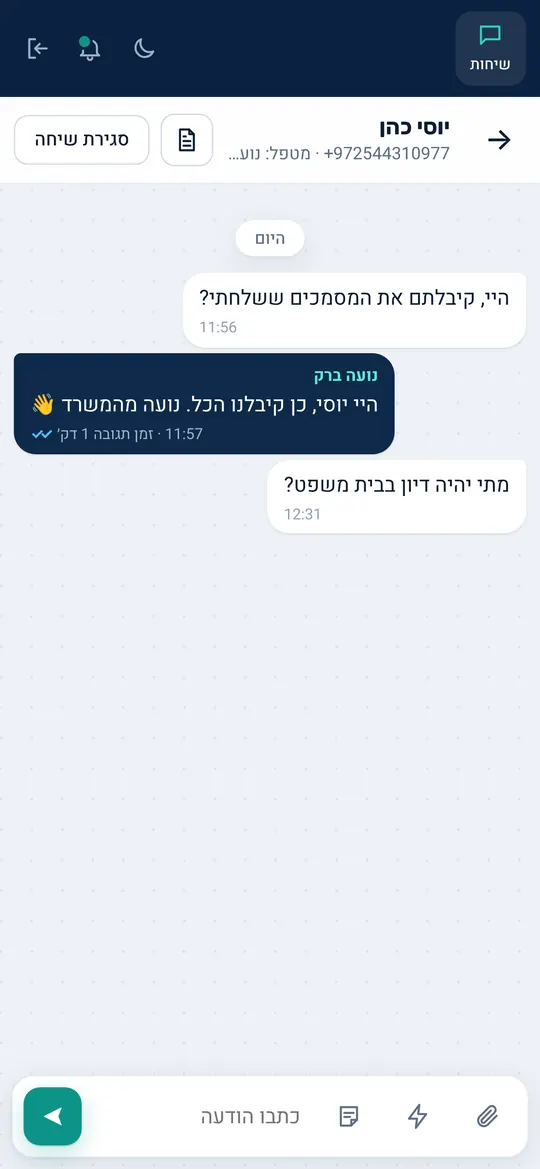
Running the same afternoon
No servers, no cloud account, no changes to your number.
Install on the main computer
One installer, with your license already inside. It starts with Windows and restarts itself after a fault.
Scan the code with the office phone
The same way you open WhatsApp Web. Past chats and contact names come over on their own.
Add your team
Create a login for each person, install Ofoz on their computers, and they find the main computer by themselves.
Client conversations stay in your office
Stored on your computer, not our cloud
Messages, photos and documents are saved on the office computer. We never see them. Back up the data folder like any other important office data.
An honest word about the connection
Ofoz connects the way WhatsApp Web does, by scanning a QR code, and not through Meta's official Business API. That's what lets you keep your existing number with no approval process. For normal office use the risk is low, but Ofoz must not be used for bulk messaging.
Priced by the size of your team
Every plan includes every feature and unlimited managers.
A small office or a front desk
- Shared inbox and assignments
- Notes, quick replies and PDF export
- Windows app and phone access
A growing office
- Everything in the 3-staff plan
- Live manager view and reports
- Activity log for every chat
An office with several departments
- Everything in the 7-staff plan
- Transfer permissions per person
- Priority setup help
Start with a free trial. When it ends you paste a license code and keep every chat.
Questions offices ask us
Where are the conversations stored?
Only on your office computer. Chats, photos and files never pass through a server of ours.
Is this the official WhatsApp connection?
No. Ofoz links like WhatsApp Web, by QR code, not through Meta's Business API. It works with your existing number. Don't use it for mass messaging.
What do we need for it to work?
One Windows computer in the office that stays on, and the office phone connected to the internet. Staff use the Ofoz app on their computers, or a phone and tablet on the office network.
Can we send and receive photos and documents?
Yes. Photos, videos, documents and voice notes show in the chat and are saved on the office computer.
What happens when the trial ends?
The manager pastes a license code in Settings. Nothing is reinstalled and no chat or user is deleted.
Can staff answer from home?
Not yet. Ofoz works inside the office network, which keeps client conversations off the internet.
See it with your own office's chats
Leave your details and we'll book a short demo and set up a trial. You can also message us on WhatsApp, call, or write to hello@ofozapp.com.